
On-Device OCR: Barcode Scanning and Text Recognition for Expiry and Inventory Management

To find near-expiry products for discounting, store staff need to check the dates on packaging. Even after scanning a barcode to identify an item, they may still read and type its date and price. Checking whether a promotional shelf price matches the checkout price presents a similar task.
If there is only one product to manage, the task may be quick. In practice, staff check many products across multiple shelves, and the entry work adds up. Stores may miss a chance to sell near-expiry stock or discover an outdated price tag only after a customer reaches checkout. What if identifying the product and reading its date or price could happen together?
Processing OCR text recognition and barcode scanning on the device
Scandit Smart Label Capture reads barcodes alongside dates and prices printed using numbers, Latin letters, and symbols, using a smartphone camera. OCR (Optical Character Recognition) turns characters in an image into data. On-device OCR, used to read dates and prices, performs this text recognition on the device itself.
With date and price capture configured for on-device processing, there is no need to send a photo to an OCR server and wait for recognition. Instead of looking up an item and typing numbers, staff review the captured values and move on.
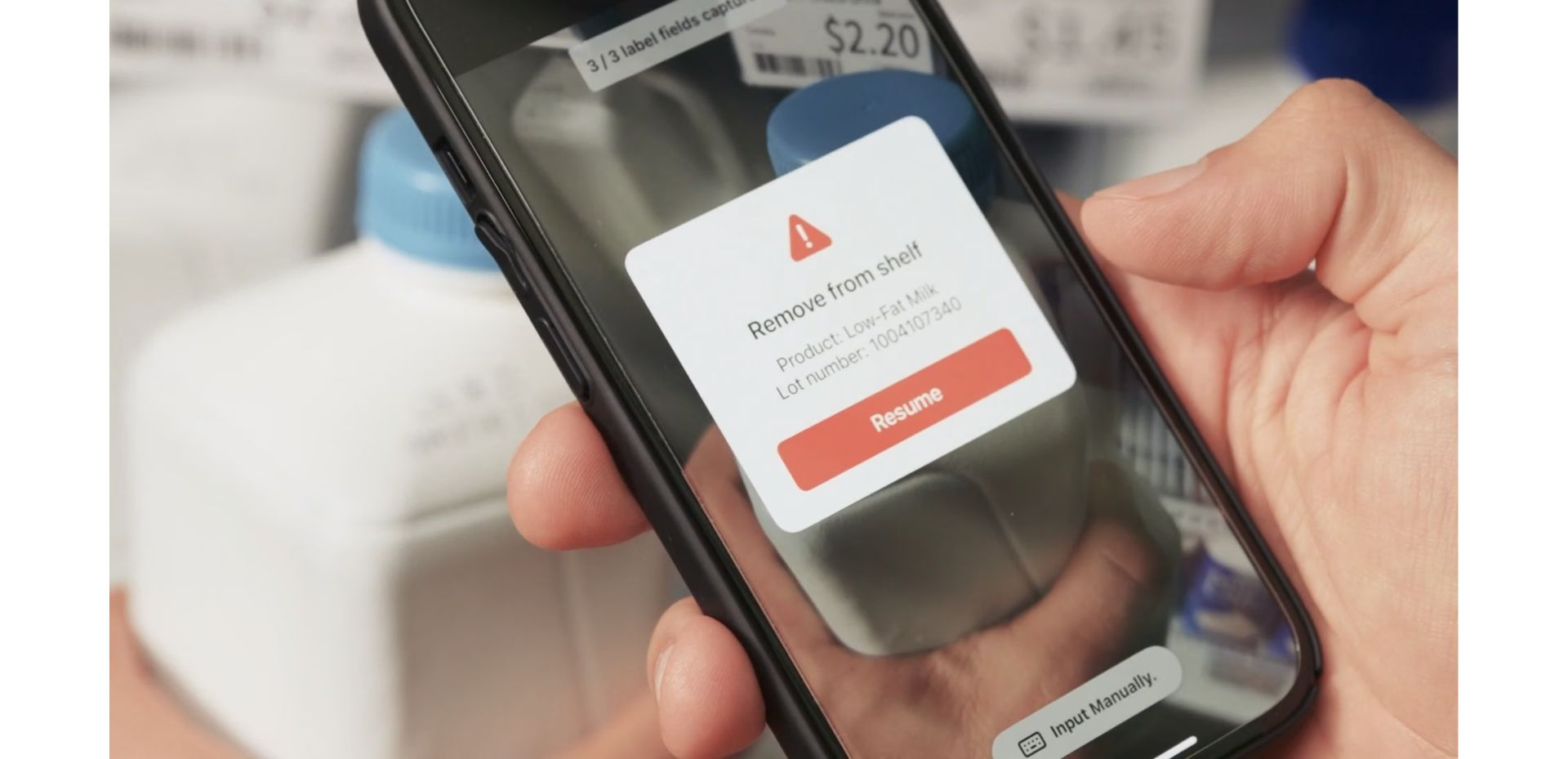
Scandit describes capturing barcodes and printed dates in seconds, then using that data to find near-expiry products for discounting or shelf action. Text recognition runs on the device; the business app connects product lookup and result saving to its systems.
The official Scandit product demo below illustrates shelf action following a date check.
Flashfood: Optimizing near-expiry food listings
Flashfood is a North American marketplace for discounted surplus groceries. Staff previously entered dates, prices, and other details manually. Variable labels on weighted items, such as meat and deli products, added difficulty.
The new Partner App reads prices, dates, and weights into listing fields for staff to review and correct. Scandit's public case reports up to 10 items scanned and listed within 30 seconds and a 33% increase in weekly listings. These results cover the scanning and listing workflow in Flashfood's Partner App.
Finding surplus food is only part of the task: listing it must also be easy enough for busy staff. Prefilling dates leaves more time for review and preparing items for sale.
Staples Canada: Comparing shelf and system prices
When shelf and checkout prices differ, staff must handle both the customer interaction and the correction. At Staples Canada, older equipment made accurate price audits difficult and created extra work at checkout.
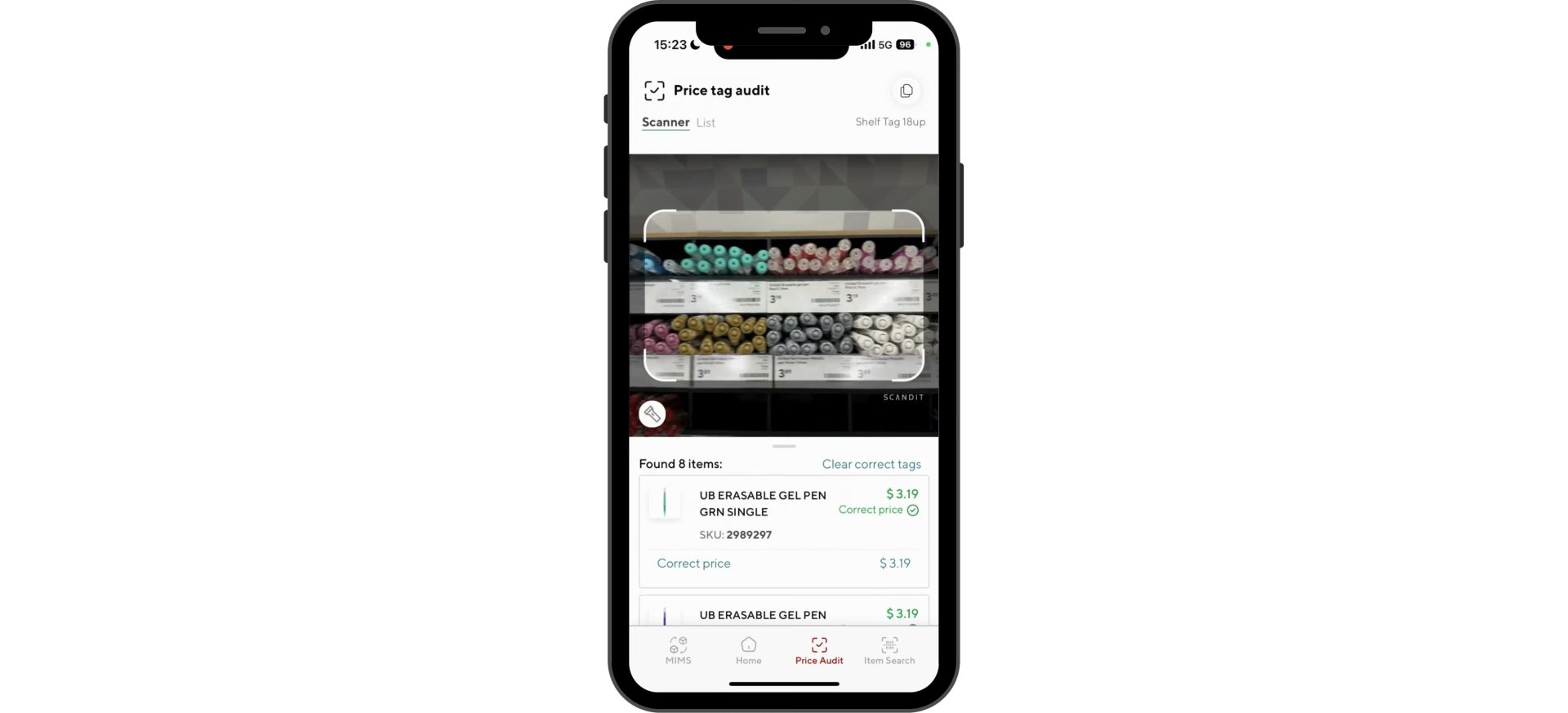
Its employee iPhone app combined barcode scanning, AR guidance, and Price Label Capture. It compares shelf and system prices, flags differences, and connects staff to one-touch tag printing. The workflow goes from reading a price to correcting the displayed label.
The video below appears on that case page and shows the price-audit workflow.
Logistics automation: Shipping label OCR for damaged labels
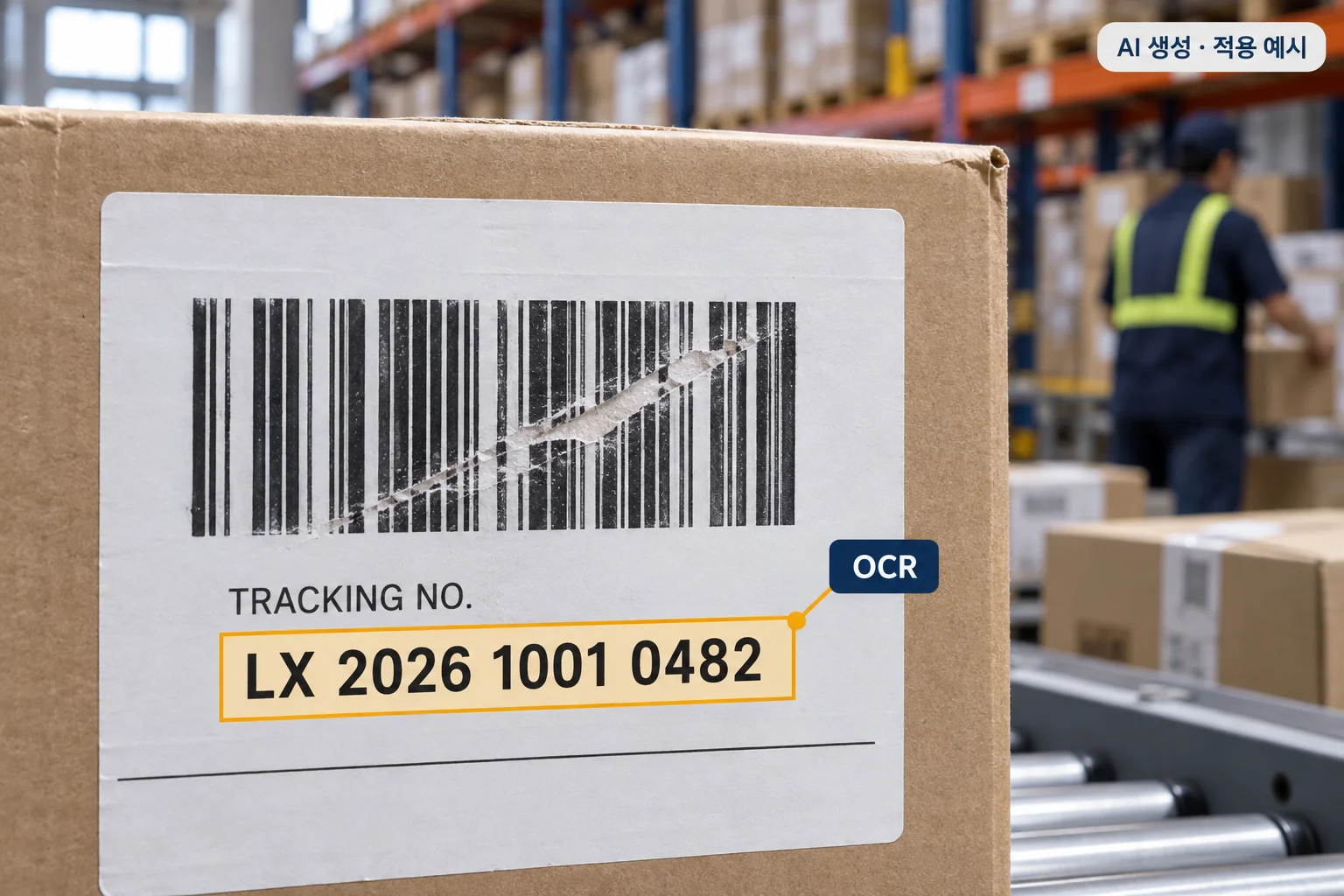
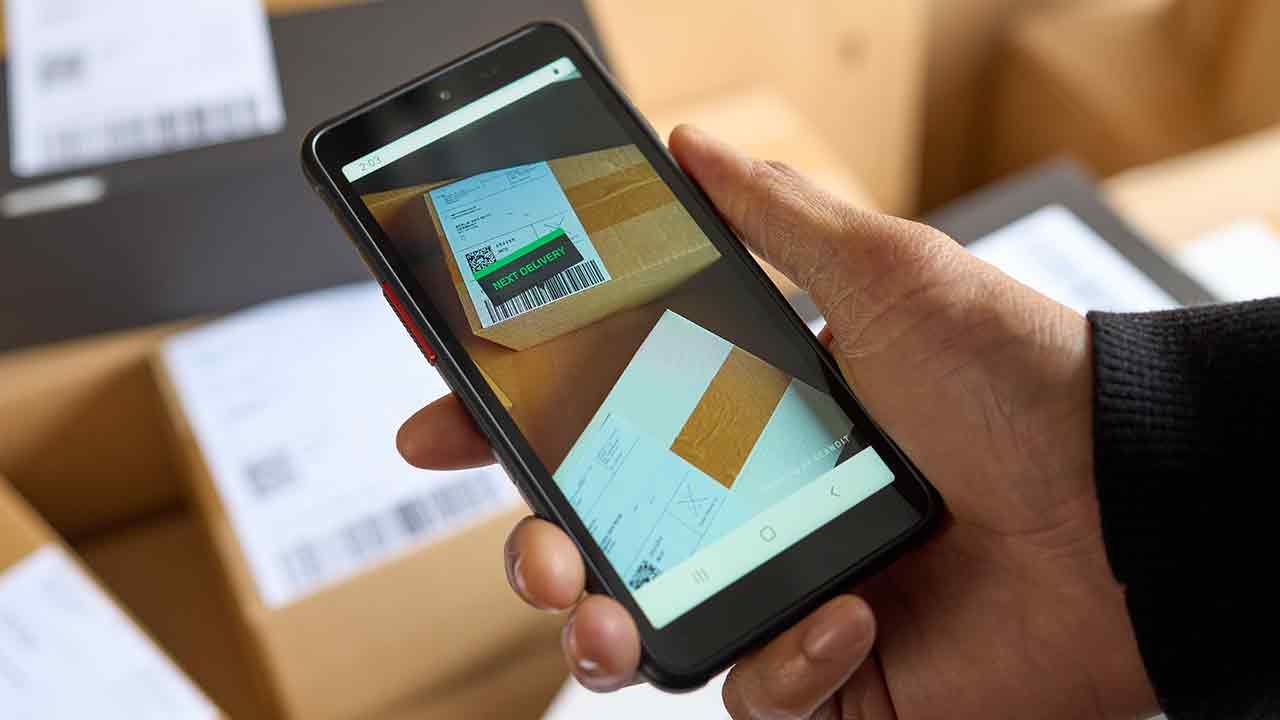
When a shipping barcode is damaged, staff may need to read and retype the printed number. Parcels with multiple labels also make it harder to find the required information.
Express carrier NACEX combined barcode scanning and OCR in its Android delivery app. Drivers read label text when barcodes are damaged and capture multiple text lines across multiple labels with the camera. This logistics case shows how OCR can reduce manual entry when barcode scanning is difficult.
Manufacturing and warehouse inventory: Part and serial number OCR
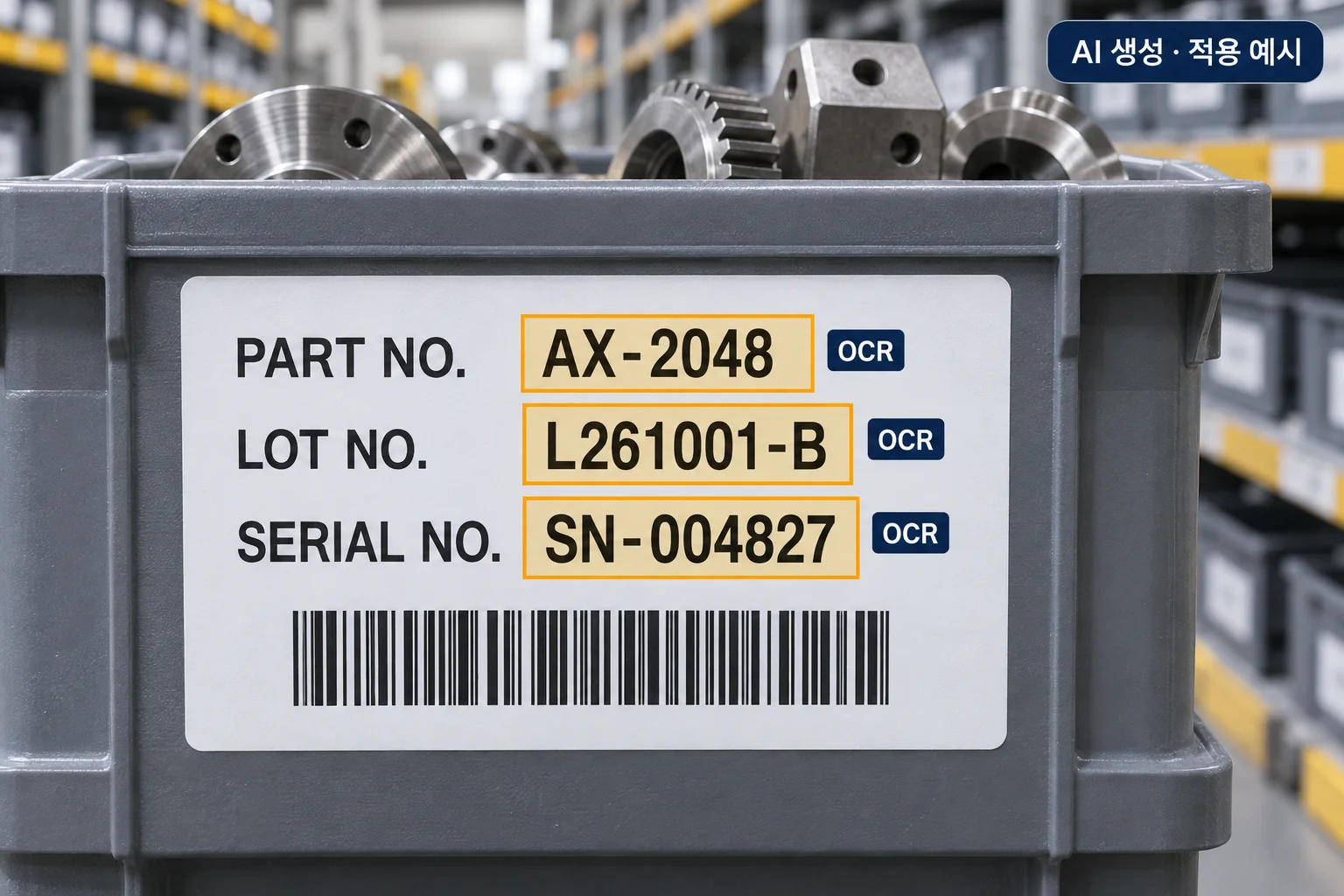
When receiving parts, staff may scan the item barcode but still type a printed part or serial number beside it. Shipping checks and stock counts can repeat the same work.
Scandit describes part-number capture for manufacturing and inventory management. Its official electronics warehouse demo shows product information, serial numbers, and IMEIs captured together, reducing the need to cover barcodes or rescan to find the right number.
For example, a team could evaluate recording an item code and printed lot number at receiving, then comparing serial numbers with order information at dispatch. Choosing the required fields and testing actual labels helps identify where retyping can be reduced.
Where could we introduce it in our workplace?
For expiry management, start by reading the barcode and printed date together to see which products are approaching their expiry dates first. Stock with the same product code but different dates can be distinguished and connected to near-expiry checks or discount-candidate lists under store rules. If packaging shows both production and use-by dates, configure capture for the date the task requires.
For price management, read a shelf tag's barcode and displayed price together and compare them with the system price. For example, if a shelf label says KRW 4,500 and the system says KRW 5,000, show the difference for staff to review before replacing the tag. This is a fictional application example; actual discounts and price changes follow store rules.
In a logistics center, start with number entry from damaged shipping labels or serial-number recording at receiving. On a manufacturing floor, consider part and lot-number checks. Look first at tasks that distinguish stock with the same item code but different lot or serial numbers.
Choose one value staff repeatedly read and retype, then check how quickly it can be captured from actual workplace labels. Connect reviewed results to receiving records, dispatch checks, surplus listings, or price-tag corrections to reduce repetitive entry.
Sources and image/video credits
- Scandit Smart Label Capture product brochure: combined barcode and text capture, on-device processing, and part-number applications in manufacturing and inventory.
- Scandit expiry management: date capture and near-expiry workflows. Source of the official demo video and expiry-capture frame used above.
- Flashfood public case study: up to 10 items scanned and listed within 30 seconds, 33% growth in weekly listings, and the cover image. Figures are reported results from that case.
- Staples Canada public case study: shelf-price audits and label printing. Source of the price-audit video and capture-result frame used above.
- NACEX public case study: logistics OCR for damaged shipping labels and text across multiple labels.
- Scandit warehouse inventory demo: product-information, serial-number, and IMEI capture on consumer electronics, including the official video embedded above. This is a product demo, not a manufacturing customer deployment.
- Data Connect created the logistics and manufacturing warehouse OCR images with AI as fictional application examples. Highlighted tracking, part, lot, and serial numbers are illustrative values.
FAQ
Related Posts

Thinking About Replacing Your PDA Fleet? A 7-Point Checklist Before You Switch to Smartphones
When your industrial PDAs start failing more often and the manufacturer announces end-of-life, you're forced to make a call. Before reordering the same brand's next model out of habit, here's a 7-point checklist for evaluating a switch to smartphone-based scanning.
Build vs. Buy an Inventory Count App — A Selection Guide for Logistics and Retail Teams
If month-end inventory counts always turn into a late night, and scan totals never quite match what's actually on the shelf, it's time to rethink your inventory count app. Here's what actually separates an off-the-shelf app from building your own on top of a scanning SDK.

How to Choose the Right Barcode Scanner in 2026
A comprehensive guide covering hardware vs software, scanning technologies, industry needs, and total cost of ownership for barcode scanner selection.