
How Do You Choose a Barcode Size for Easier Scanning?
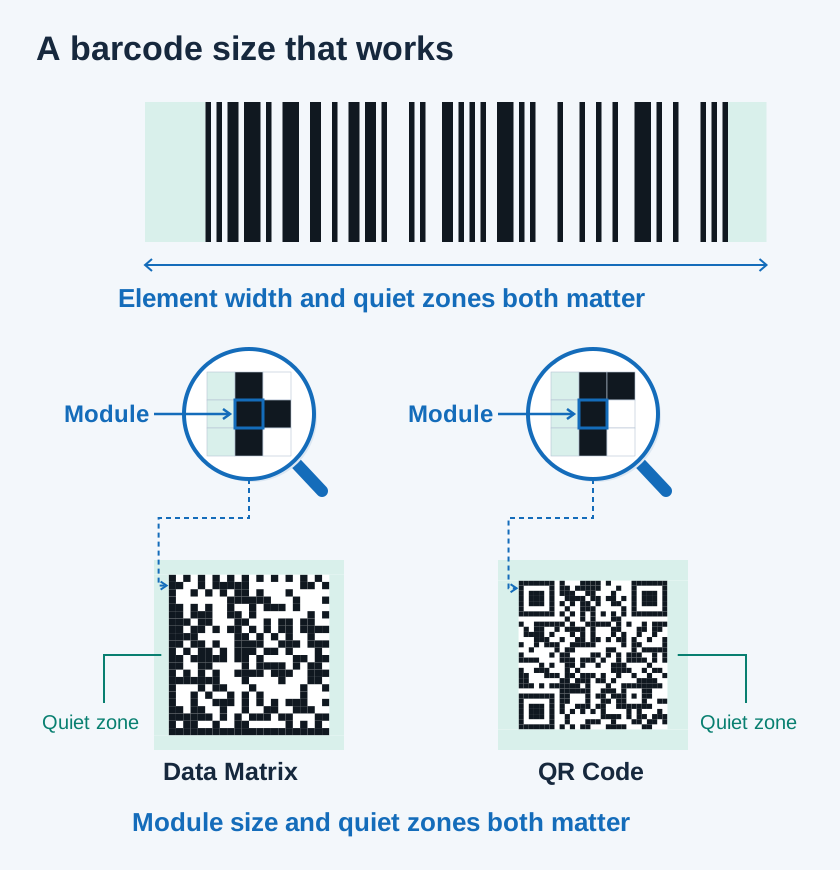
When a barcode on a box or part is hard to read, workers may bring the device closer or scan the same label again. If this happens throughout the day, receiving, stock counts, and dispatch checks take longer.
When designing a label, consider both the available space and how comfortably workers can scan it. Giving a barcode enough room and choosing a 2D code for the task can make it easier to move from scanning one item at a time to capturing several together.
Larger barcodes make data collection easier
For the same data, a barcode is easier to read when it appears larger within the camera frame. Its pattern is easier to distinguish. This matters more when reading boxes at a distance or capturing several labels in one view.
Leave clear space around the barcode too. The scanner uses this space to find its edges. Text or borders close to the code, or ink spread, can make it harder to read even when the barcode itself is large. Pay attention to size and clear space together.
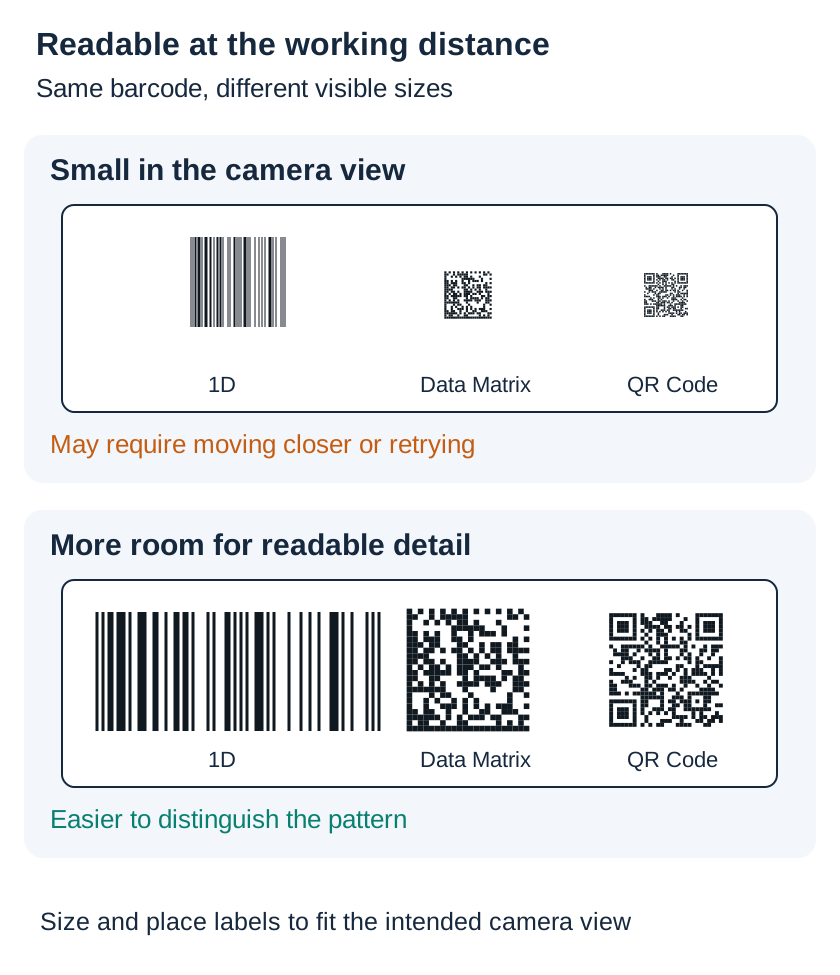
The clearer the same barcode appears, the easier it is to scan.
Consider the switch to 2D for new labels
If you need to identify an item while also tracking its lot, serial number, or expiry date, a 2D barcode can be a good starting point. A 1D barcode carries information across its width, while a 2D code uses both width and height. This lets it hold more information in a relatively small area.
Recording a lot number with the item can help distinguish different batches of the same product. Expiry dates can support checks for stock approaching its date, and serial numbers can support individual-item tracking. 2D barcodes also include error correction, which can help when part of a code is damaged.
Before introducing 2D codes, decide what information to include and which tasks will use it. Align the data format with trading partners and check support in the devices and apps used at the workplace so people and systems can work with the same information.
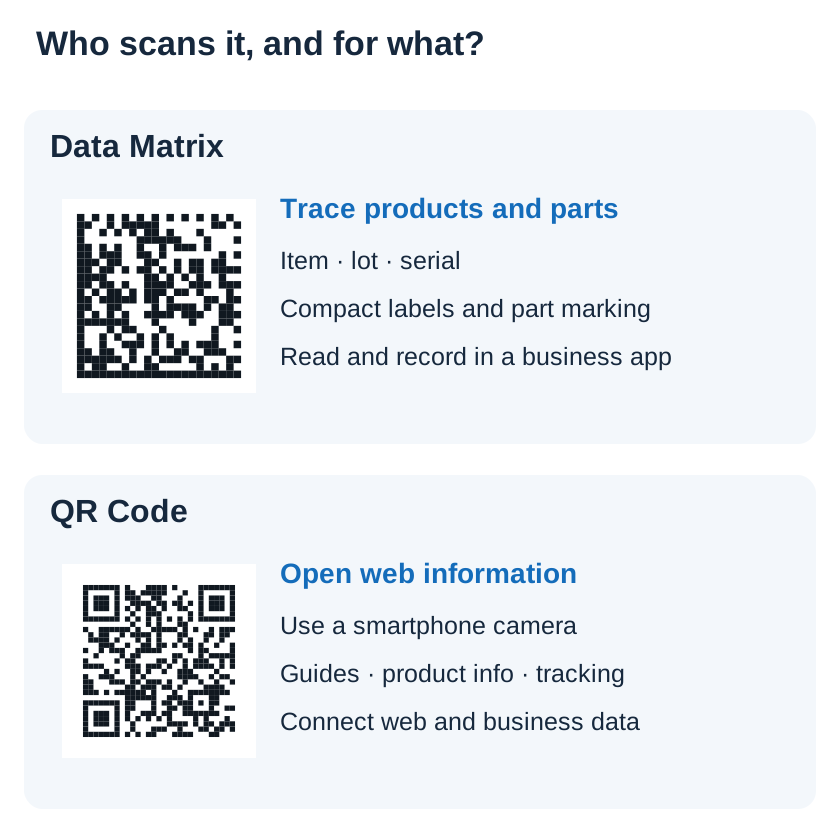
Data Matrix for logistics and manufacturing traceability
Data Matrix is often used in logistics and manufacturing to track products and parts. Its compact shape can fit useful information on small labels, including item, lot, and serial details. This can help when space is limited, such as on electronic components or small packages.
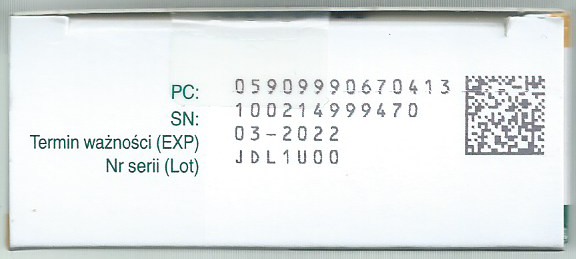
An actual medicine-package example. The product code, serial number, expiry date and lot number are printed beside the Data Matrix.
For example, a receiving process could record an item's code and lot number together, then compare its serial number with an order during dispatch. Manufacturers can also mark Data Matrix codes directly onto a part's surface. In that case, check the quality of the mark as well as the camera and lighting used to read it.
Even when taking advantage of a compact code, leave enough room for it to scan comfortably at the usual working distance. Check the logistics standards and trading-partner requirements that apply to your labels.
QR Codes to connect smartphones with the web
QR Codes are convenient when customers or workers need to open information on a smartphone. People can scan them with a phone's built-in camera to open a web page. Examples include product instructions, certification details, delivery tracking, and return information.
A QR Code using GS1 Digital Link can combine product identification with a web connection. A business app can read it to identify a product, while customers can open related information on the web.
When choosing between Data Matrix and QR Codes, consider what you need to track and who will scan the code, using which device. Product or parts traceability and customer access to information may call for different choices.
Vision AI multi-scan as a foundation for DX and AX
Vision AI scanning starts with the image from the camera. A barcode with enough room around it and a clear print is easier to capture. For multi-scan, arrange labels so each one can be seen clearly in the camera frame.
Scandit MatrixScan uses Vision AI to capture multiple barcodes together and connect them to tasks such as inventory counts, receiving checks, and picking. This can shift a process from scanning boxes one by one at close range to capturing several boxes and reviewing the results together.
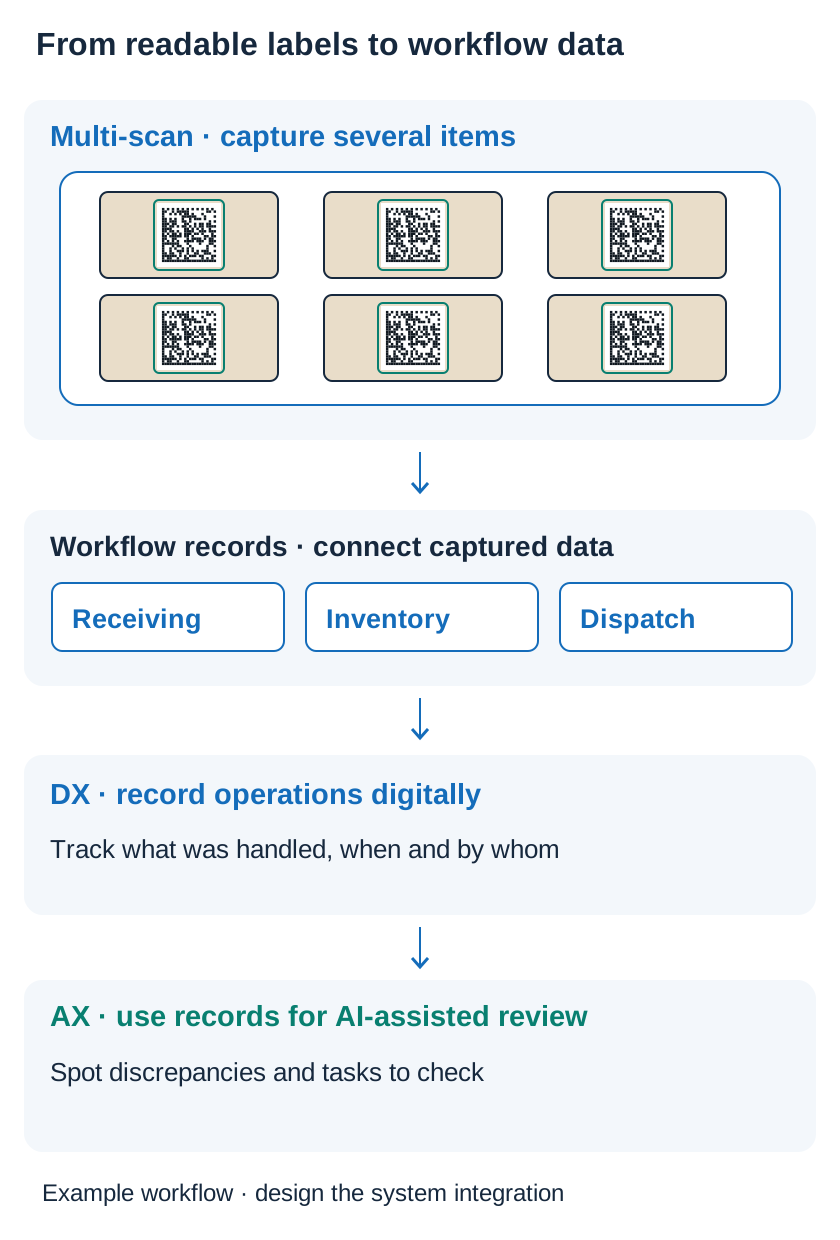
An illustrative workflow: connect captured values to work records, then use those records for review and decisions.
Connecting scan results to receiving, inventory, and dispatch records helps bring worksite information into digital records—the foundation for digital transformation (DX). A possible next step is to configure AI to help identify inventory discrepancies, recurring omissions, or tasks that need review. This provides a path toward AI transformation (AX). Designing barcode labels well is also part of DX and AX. Making codes readable and ensuring the required values reach work records lays the groundwork for digital workflows and data that AI can use.
In your workplace, start with labels workers often have to scan again. Leave enough room, choose a 2D code for the information you need, and test several labels together at the normal working distance. Decide which work records should receive the results, so you can improve the labels and the workflow together.
Sources · GS1: barcode design · GS1: 2D · GS1 Singapore: 2D · Scandit: Data Matrix · GS1: Digital Link · Scandit: MatrixScan
Photo: Zylla, Kod DataMatrix na opakowaniu leku, CC BY-SA 4.0, unmodified original

FAQ
Related Posts

On-Device OCR: Barcode Scanning and Text Recognition for Expiry and Inventory Management
Use smartphone OCR text recognition and barcode scanning to reduce retyping dates, prices, and part numbers. Explore expiry management, price label capture, logistics automation, and warehouse inventory examples.
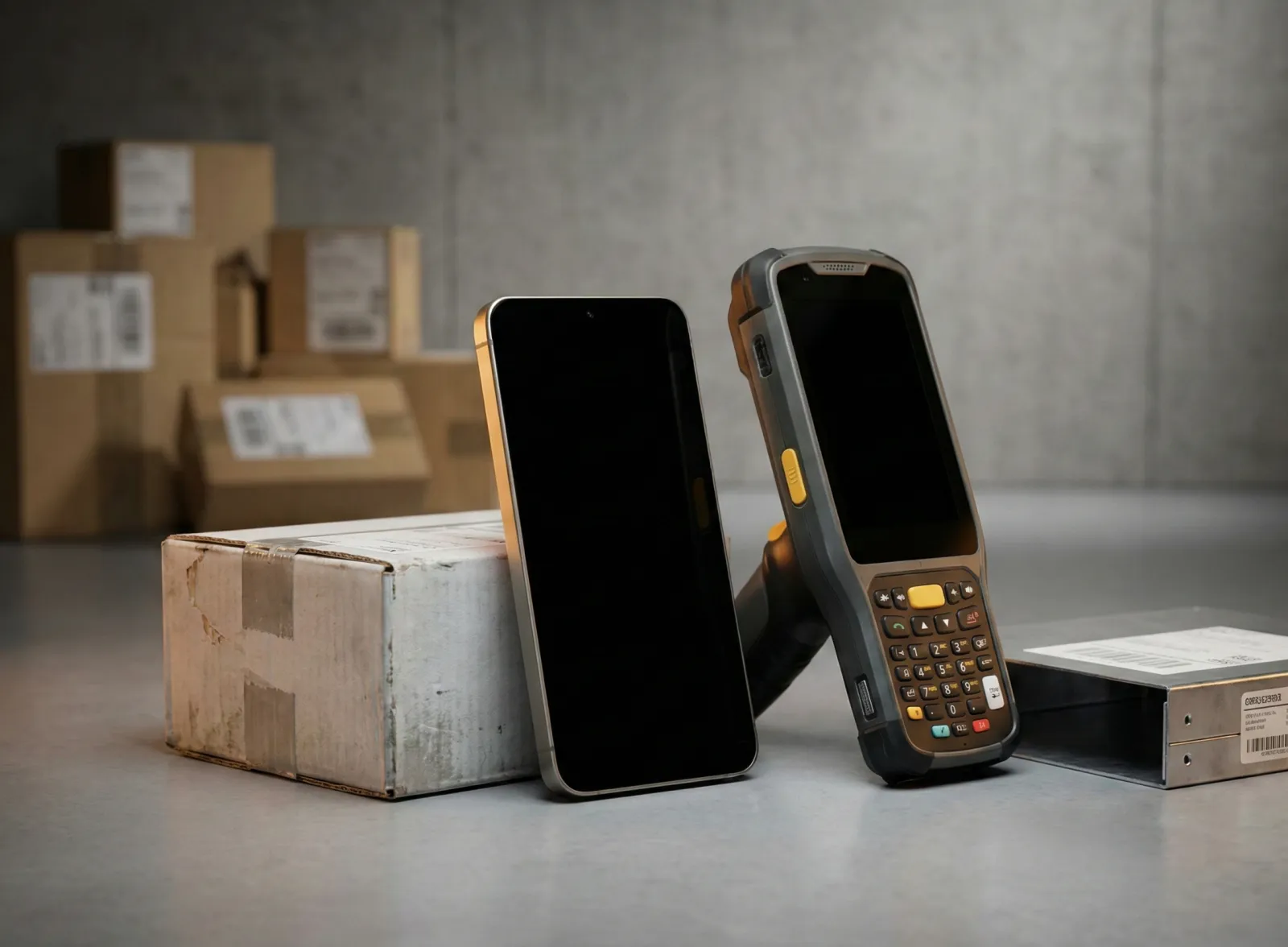
Thinking About Replacing Your PDA Fleet? A 7-Point Checklist Before You Switch to Smartphones
When your industrial PDAs start failing more often and the manufacturer announces end-of-life, you're forced to make a call. Before reordering the same brand's next model out of habit, here's a 7-point checklist for evaluating a switch to smartphone-based scanning.
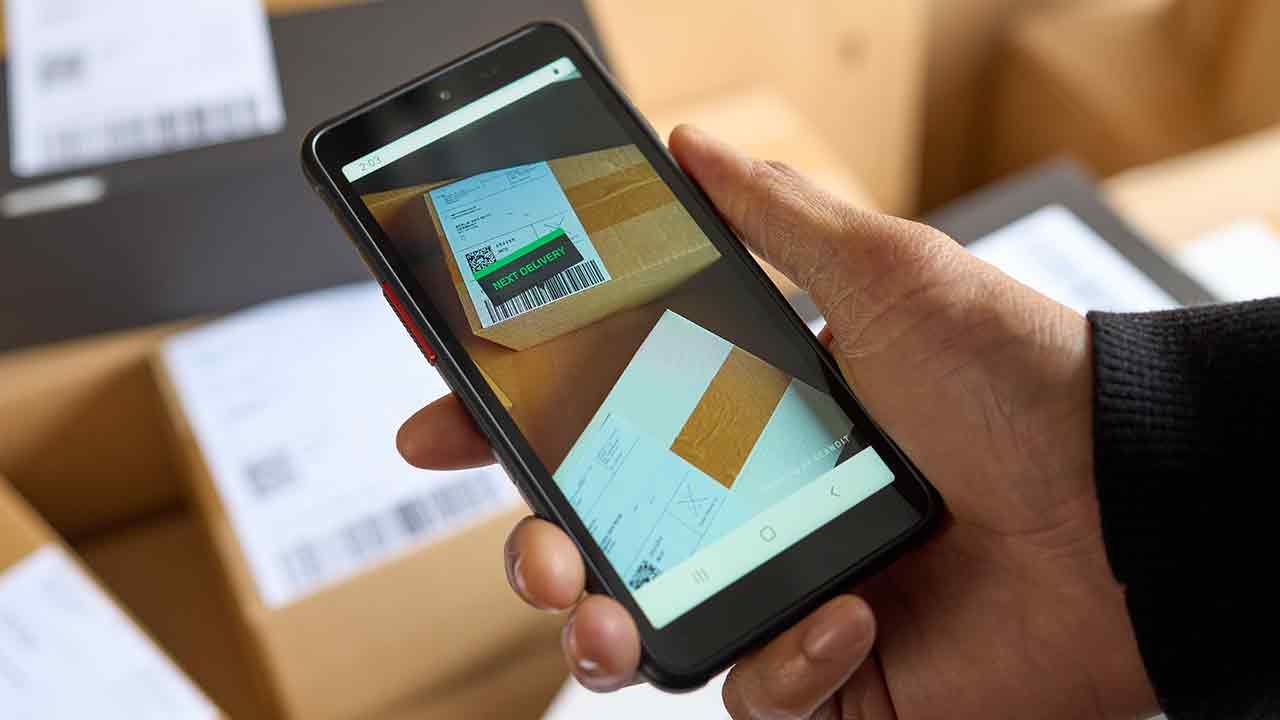
Build vs. Buy an Inventory Count App — A Selection Guide for Logistics and Retail Teams
If month-end inventory counts always turn into a late night, and scan totals never quite match what's actually on the shelf, it's time to rethink your inventory count app. Here's what actually separates an off-the-shelf app from building your own on top of a scanning SDK.