

Build vs. Buy an Inventory Count App — A Selection Guide for Logistics and Retail Teams
Problem
Month-end and year-end inventory counts almost always mean pulling in extra staff overnight or on off-days. Scanning one barcode at a time is slow, and misreads or duplicate scans mean the count doesn't match what's actually on the shelf, forcing a recount. The bigger the store or warehouse, the more this inefficiency compounds directly into labor cost.
Solution
Choosing an inventory count app starts with deciding whether to buy an off-the-shelf app or build one on top of an SDK that plugs into your existing systems. On top of that, whether the app supports multi-barcode scanning — recognizing several barcodes in a single frame, the way MatrixScan Count does — is the single biggest factor in how long a count actually takes.
Outcome
- Up to 50% faster inventory counts with multi-barcode scanning (per Scandit's published figures)
- Fewer recounts caused by misreads and duplicate scans
- An inventory count workflow that actually talks to your WMS/POS
- A selection checklist that prevents an expensive mismatch down the line
Why does every count end in overtime
Physical inventory counts are the task most logistics and retail floors would rather put off. Month-end or year-end, regular operations stop, extra staff come in overnight or on a day off, and someone scans every barcode on every shelf one at a time. In a large store or warehouse, that alone can take days.
Time isn't the only issue. Single-scan workflows make it easy for a worker to lose track of what's already been counted, so duplicate scans and misreads are common — and when the count doesn't match what's actually there, the whole section has to be recounted. That's double the labor cost for the same shelf. If this keeps happening, it's a sign to rethink the app or process you're using.
Off-the-shelf app vs. build-your-own on an SDK
The first fork in the road when choosing an inventory count app is whether to buy something ready-made or build on top of an SDK integrated into your existing systems.
Off-the-shelf inventory count apps get you moving fast. Scanning and count reporting are already built, so you can be running on the floor within days. The tradeoff is that they're designed around a generic process, so they may not match your WMS's specific code structure or approval workflow — and it's common to end up manually re-entering count data into your existing system afterward.
Building on a barcode scanner SDK takes more upfront development, but lets count data sync with your WMS or ERP in real time. If you run multiple locations, or need count results to flow directly into ordering or reconciliation systems, this tends to be more flexible over time. The SDK's only job is turning a phone camera into an enterprise-grade scanner — your team still designs the screens and data flow.
The rule of thumb is simple: if a standard process covers your needs, go off-the-shelf. If integration with what you already run is the priority, build on an SDK.
What multi-barcode scanning does to count time
Whichever route you take, the thing that actually moves the needle on count time is multi-barcode scanning. A typical single-scan workflow means recognizing one barcode, moving the camera to the next, recognizing that one, and repeating.
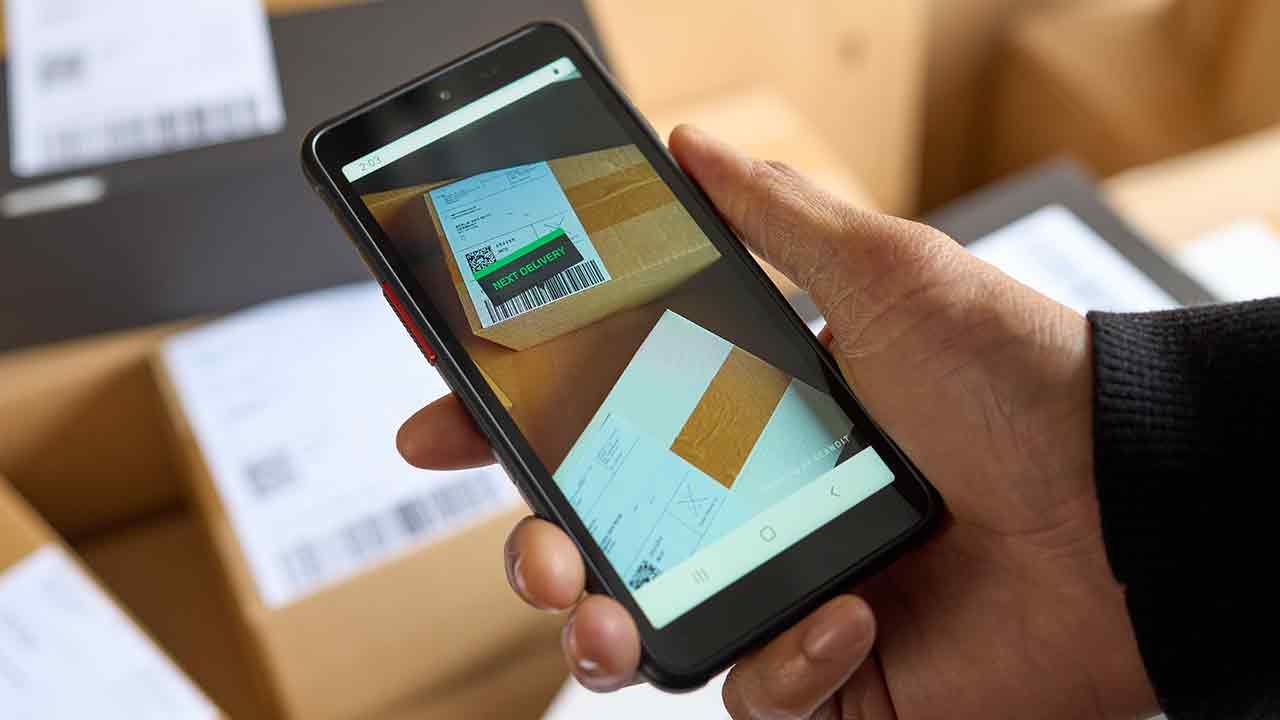
Multi-barcode recognition technology like MatrixScan Count instead recognizes every barcode in frame at once. Per Scandit's published figures, it can process 50+ QR codes in a single frame, and applying it can cut inventory count time by up to 50%. That's because the workflow itself changes — instead of scanning a shelf one barcode at a time, you sweep the whole shelf in a single pass. Scanned and unscanned items are color-coded on screen, which also cuts down on the duplicate-scan recounts.
An inventory count app selection checklist
Whether you buy or build, confirm these before committing:
- Processing speed — single-scan or multi-scan, and roughly how many seconds it takes to clear one shelf
- Offline operation — whether scanning holds up in spotty-connectivity areas like the back of a warehouse or a basement store
- Existing system integration — whether it connects via API to your WMS/POS/ERP, and if not, how count data gets moved over
- Duplicate-scan prevention — whether scanned vs. unscanned items are visually distinguished
- Device compatibility — whether it runs on the smartphones/tablets your floor already has, or requires new hardware
- Export format — whether count results export directly to Excel or a system-integration-ready format
- Total cost — license cost plus rollout, training, and maintenance, not just the sticker price
For retail store count examples, see our retail industry page; for warehouse inventory management, see logistics. If you want to know how to add multi-barcode scanning to a system you already run, talk to our technical team.
FAQ
Related Posts

Thinking About Replacing Your PDA Fleet? A 7-Point Checklist Before You Switch to Smartphones
When your industrial PDAs start failing more often and the manufacturer announces end-of-life, you're forced to make a call. Before reordering the same brand's next model out of habit, here's a 7-point checklist for evaluating a switch to smartphone-based scanning.

How to Choose the Right Barcode Scanner in 2026
A comprehensive guide covering hardware vs software, scanning technologies, industry needs, and total cost of ownership for barcode scanner selection.